IRForge Guitar & Bass IR Blending and Capture Workstation
Reshape multi-IR guitar tone in real time, keep level controlled while you move, find complementary and opposing IRs faster, and export the result anywhere.
Move tone, not faders
One move can rebalance the blend instead of forcing you to chase four channels by hand.
Change timbre, keep perspective
IR Forge helps tone move while level stays controlled, so you can hear the real difference.
Find contrast fast
Discover complementary and opposing IR roles without memorizing filenames or folder trees.
Export the result anywhere
Print the finished blend as one IR and take it into the rest of your workflow.
Manual IR blending breaks down fast.
- More IRs means more manual compensation.
- Louder keeps fooling the decision.
- Folder names do not tell you tonal function.
- Building left/right contrast by ear takes too long.
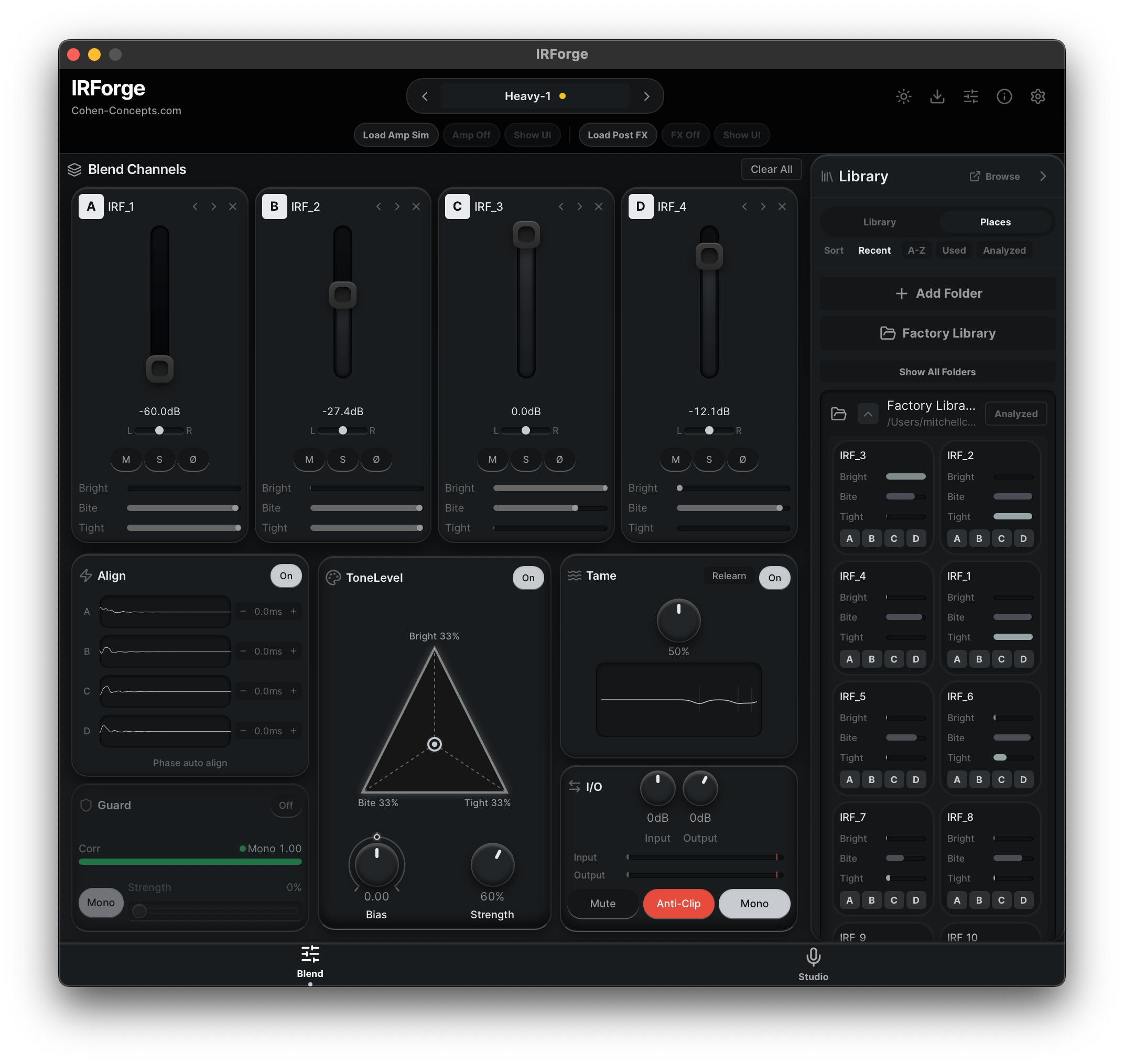
This is not another IR loader.
Most IR workflows make you juggle faders, chase loudness, remember what folders might contain, and try to build contrast by ear while the whole decision keeps drifting.
IR Forge analyzes tonal contribution, helps rebalance the blend in real time, and gets you to stronger results faster than manual blending realistically allows.
- Real-time tone steering across multiple IRs.
- Controlled level while the tone changes.
- Faster discovery of complementary and opposing IRs.
- Exportable blends you can use anywhere.
What IR Forge is actually doing
It analyzes each IR's tonal role, lets you move through tone with fewer manual corrections, and helps you hear timbre changes clearly instead of chasing loudness.
From source IRs to one finished export.
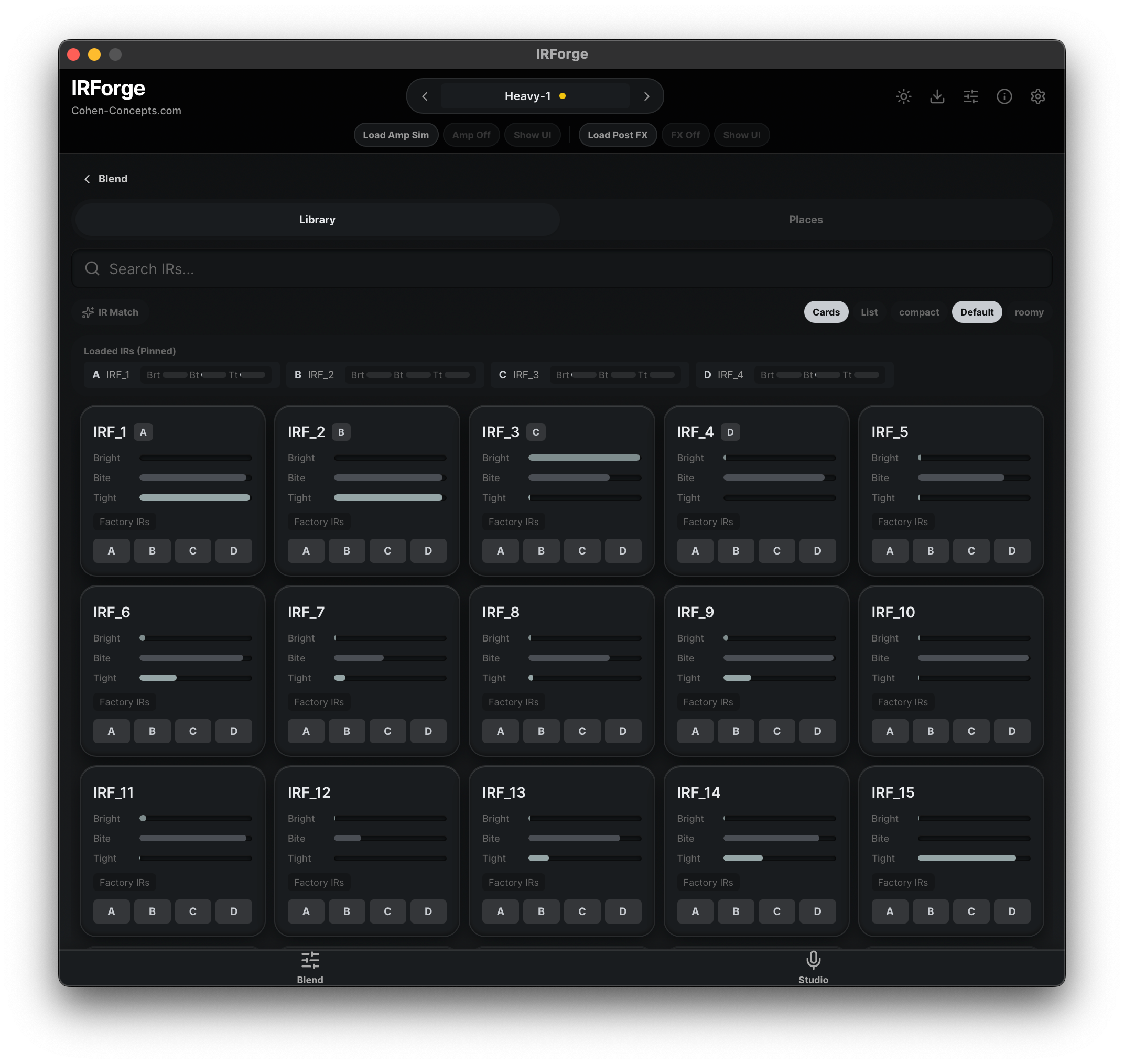
1) Find usable IRs by sonic role
Stop guessing from filenames.
- Surface brighter, darker, tighter, or more aggressive starting points faster.
- See complements and opposites more clearly.
- Turn a big library into something navigable.
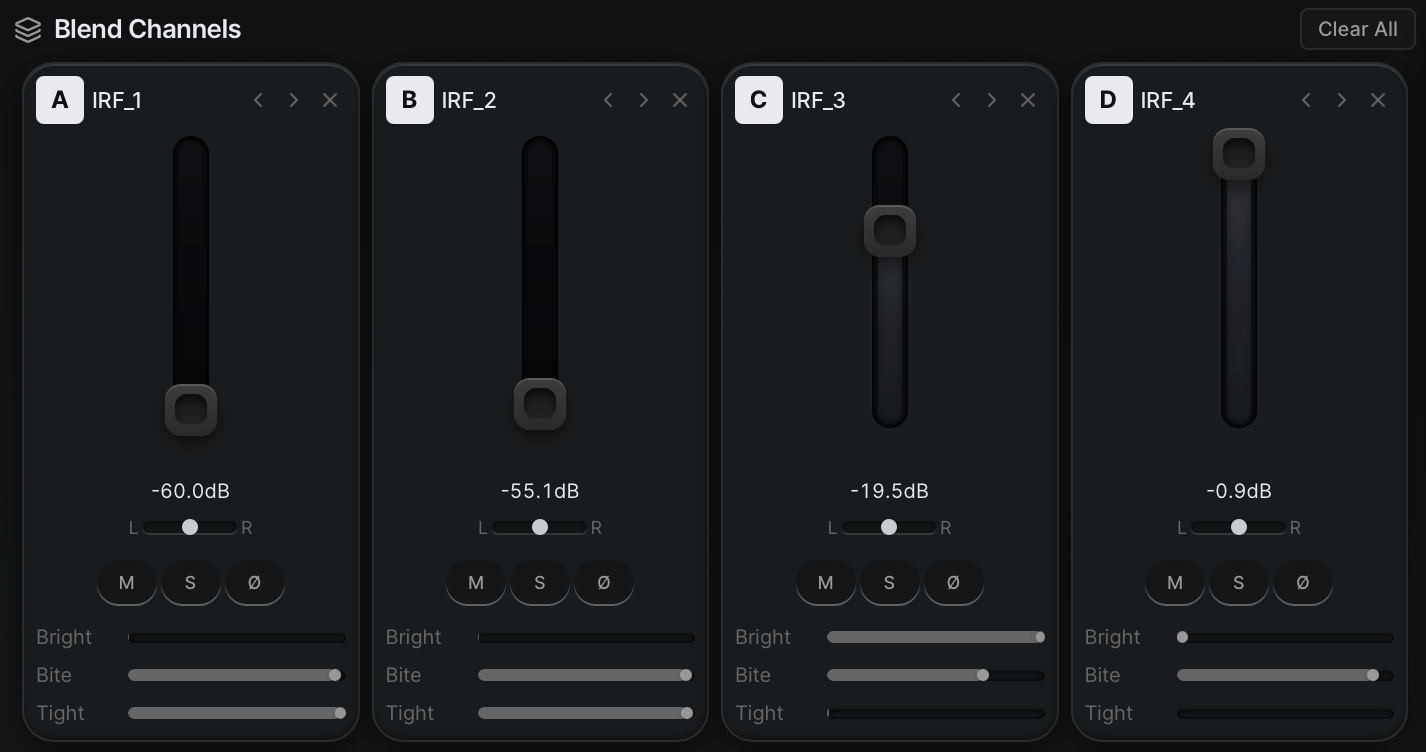
2) Steer the blend in real time
Make one tonal move, not four separate fixes.
- Rebalance the blend faster than manual fader chasing.
- Keep level controlled while you move through tone.
- Hear the character change more clearly.
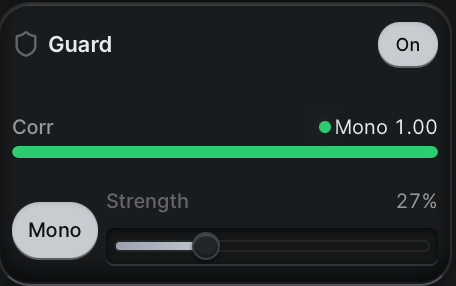
3) Build smarter contrast
Useful for tighter left/right decisions and mix-ready shapes.
- Create complementary rhythm tones faster.
- Catch harshness and stereo problems earlier.
- Make deliberate contrast instead of accidental mismatch.
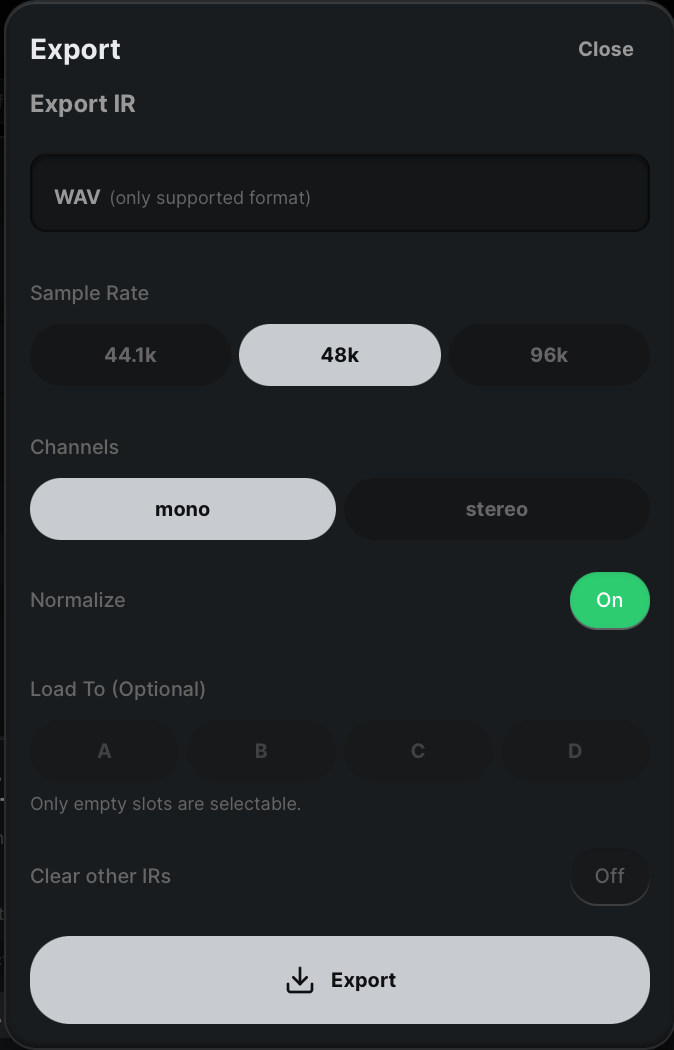
4) Commit and export
Keep the result, not the complexity.
- Export one finished IR.
- Use it in your loader, DAW, or hardware rig.
- Save the result and move on.
Choose your edition
Blend
For players who want faster, smarter cab decisions without manual blend guesswork.
- 4-slot blending with level, pan, delay, and polarity controls.
- Blend Lock with controlled loudness behavior while active.
- Tame, Guard, export, and library analysis workflow.
Studio
For creators who want the same tone-steering core plus deeper capture and pack-building workflows.
- Everything in Blend.
- Profiler and pack creation tools.
- Built for deeper production and release workflows.
Hear the change fast.
One file. Labeled sections. Zero fluff.
See the workflow clearly.
Why this beats manual IR blending.
Tone Steering
- Move through guitar tone in real time.
- Rebalance multiple IRs without hand-managing every channel.
- Make tonal decisions faster.
Controlled Comparison
- Keep loudness from hijacking the decision.
- Compare timbre with more confidence.
- Reduce guesswork while shaping contrast.
Discovery + Export
- Find complementary and opposing IRs faster.
- Turn large libraries into something useful.
- Export finished blends as one IR.
Stop blending by guesswork.
Try IR Forge free for 14 days and hear what your IR library can actually do.
Fits modern guitar production workflows
Formats
- macOS: VST3, AU, and standalone.
- Windows: VST3 and standalone.
- Exported WAV IRs work in the loaders and sims you already use.
System
- Apple Silicon and modern Intel Macs supported.
- 64-bit Windows support for current production workflows.
- Use your existing IR folders without converting libraries.
Workflow fit
- Works after amp sims in a DAW chain.
- Standalone mode supports focused audition and export sessions.
- Presets make it easy to revisit previous blend decisions.
Get from trial to first useful blend quickly
Install the plugin or standalone app, load your existing IRs, and try the workflow in a real session. Use the setup guide or downloads area if you need help getting running.
Common questions.
Make the blend decision you actually mean.
Compare faster, choose better, export once.